
Azure DevOps extension
PowerWiki
The wiki you already have, the experience it deserves. PowerWiki adds a Power Wiki hub next to the built-in Azure DevOps wiki and reads and writes the same wiki Git repositories — no migration, no proprietary formats, no lock-in.
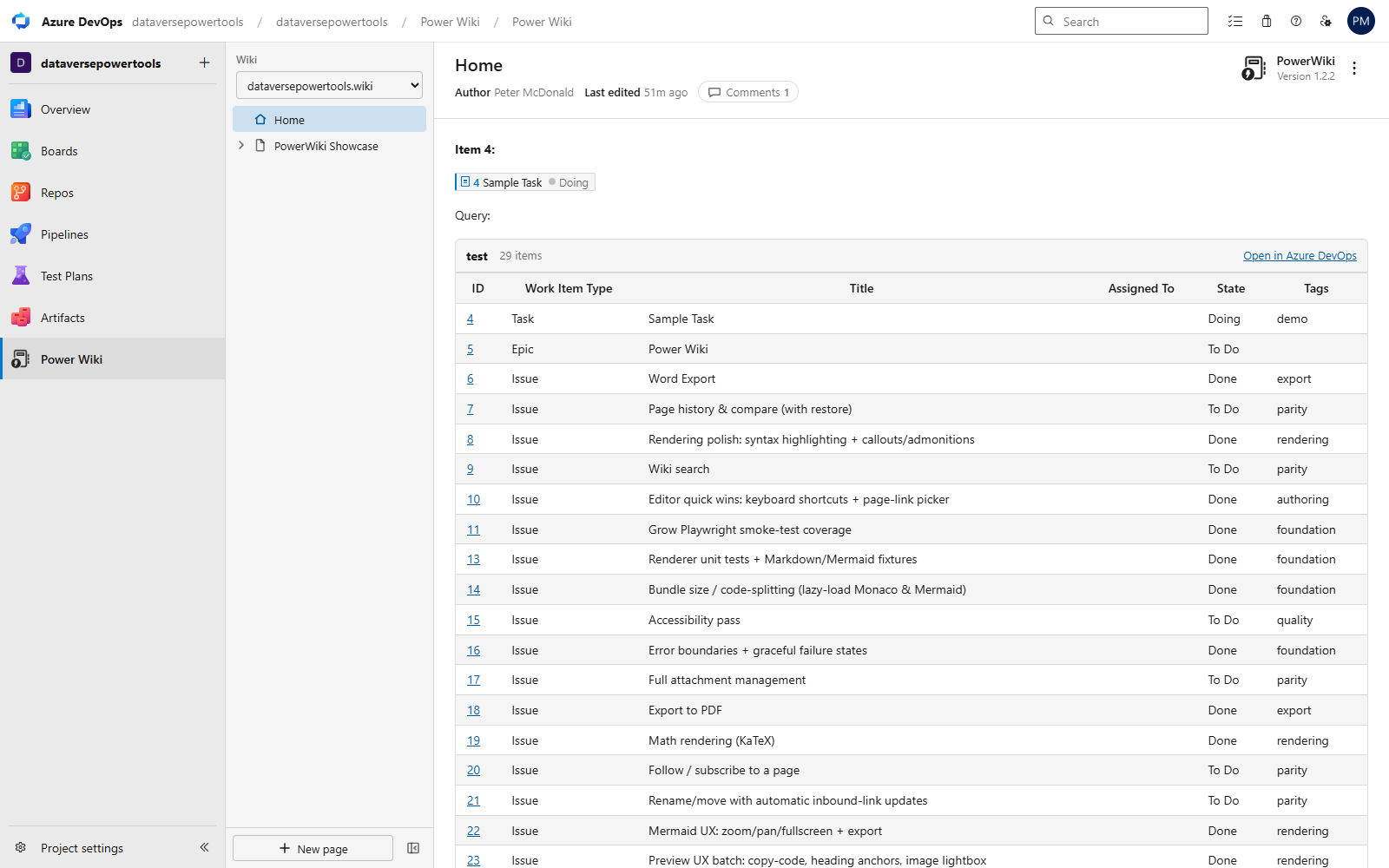
PowerWiki rendering a page — work-item badges, an embedded Boards query table, a per-page byline and a Mermaid diagram.
Why teams switch
Today's Markdown & Mermaid
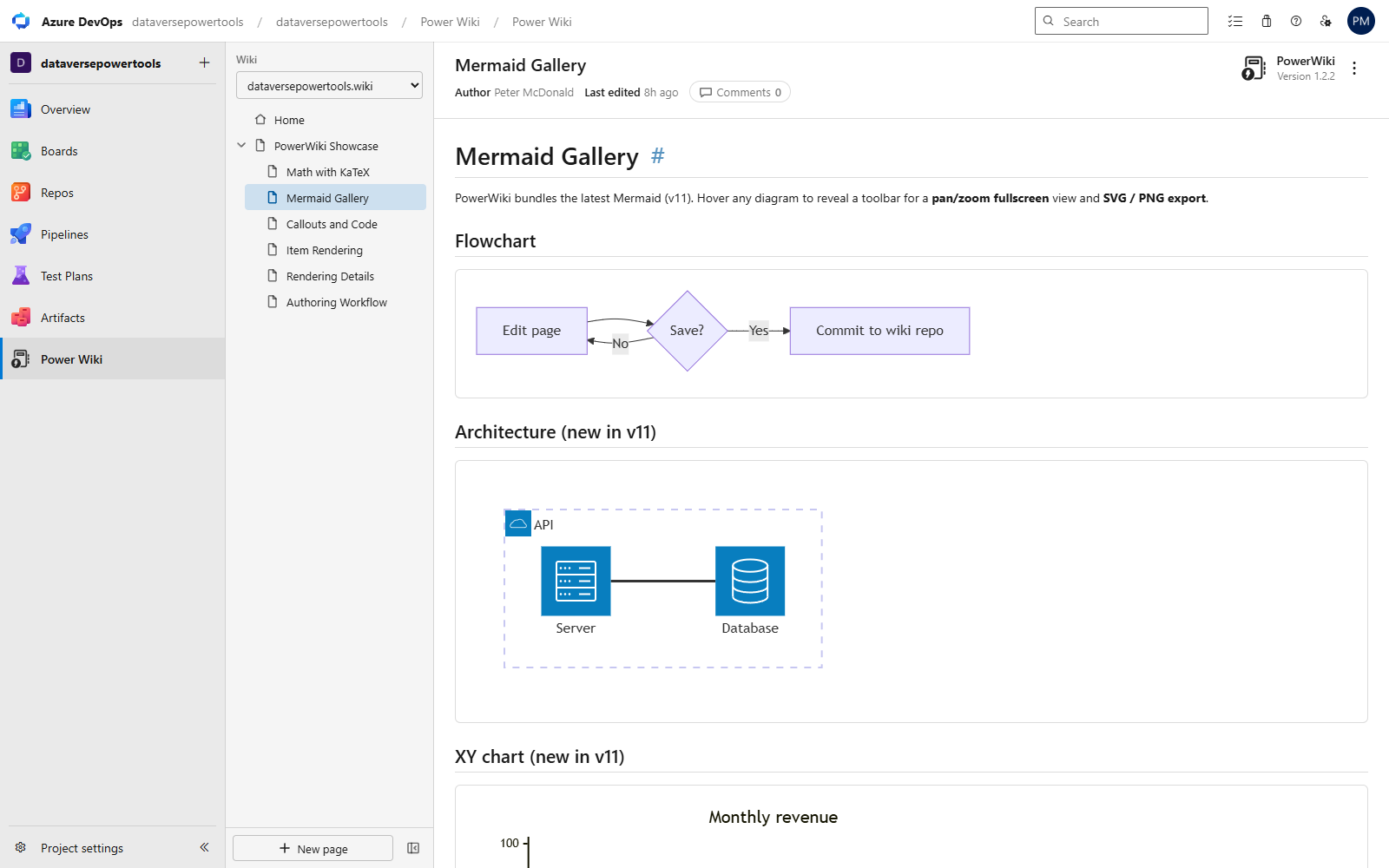
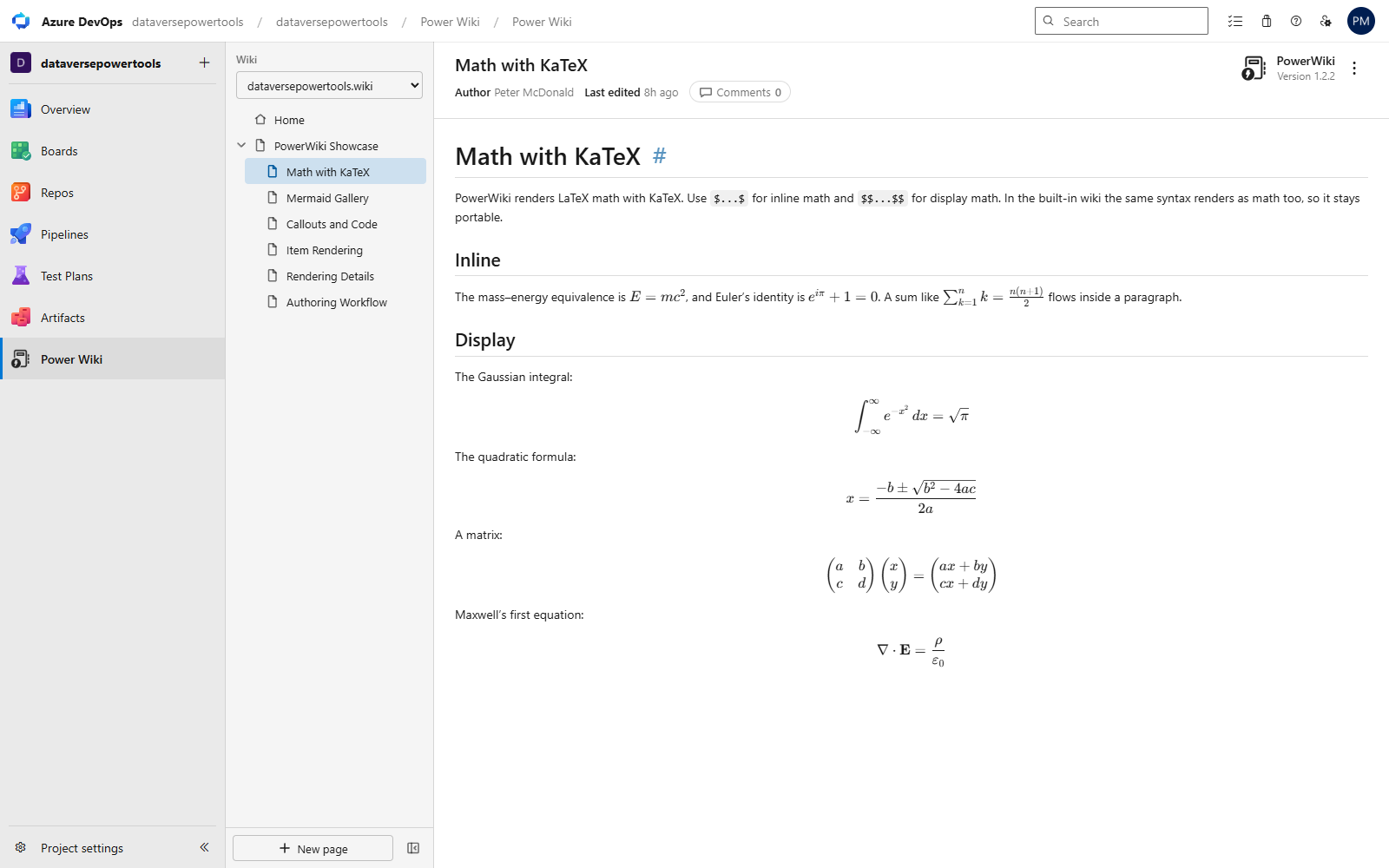
Mermaid v11 (architecture, kanban, sankey, xy-chart, mindmap, timeline and more), GitHub-style callouts, KaTeX maths and syntax-highlighted code — instead of the frozen renderers bundled with Azure DevOps.
Export to Word & PDF
Turn one page — or an ordered set of pages — into a real .docx with native Word heading styles and equations, or a print-perfect PDF. Diagrams, query tables and images included.
Never lose the thread
Page history with side-by-side diffs and one-click restore, follow pages for change notifications, and safe renames that fix inbound links for you.
Azure Boards, live on the page
#1234 becomes a rich work-item badge; ::: query-table <id> ::: embeds live query results — and both stay readable as plain text in the built-in wiki.
An editor you'll enjoy
Monaco (the VS Code editor) with a / command palette, keyboard shortcuts, page-link and attachment pickers, autosaved drafts, and a WYSIWYG mode with in-context table editing.
Your content stays yours
PowerWiki stores nothing outside your wiki's Git repository. Every page stays plain, portable Markdown that renders in the built-in wiki, in clones and in any Markdown tool.
Reading, upgraded
A current CommonMark + GFM pipeline with [[_TOC_]] and [[_TOSP_]] support and native-feeling deep links. Mermaid v11 with automatic light/dark theming, a fit-to-screen pan/zoom viewer and SVG download. LaTeX maths with KaTeX. Callouts, heading permalinks that copy a shareable Azure DevOps link, click-to-zoom images, and copy buttons on code blocks.
Writing, without friction
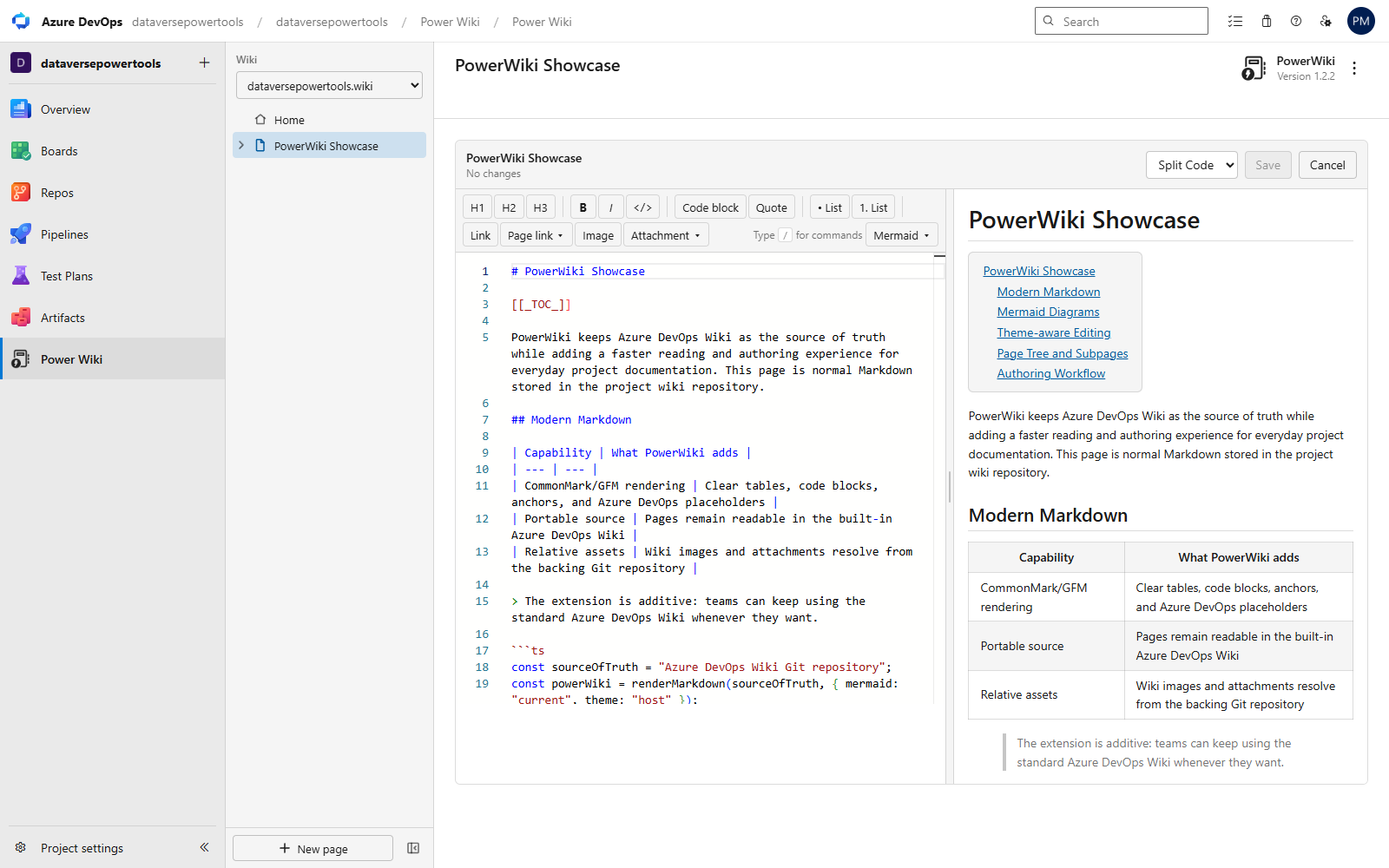
- A Monaco Markdown editor with live split preview, word wrap and Azure DevOps theming.
- Type
/for anything: headings, tables, code blocks, every Mermaid type, work-item references, query tables and links. - Ctrl+B / Ctrl+I / Ctrl+K, a searchable page-link picker and an attachment picker for files you've already uploaded.
- Paste or drop images into any editor — they upload to
.attachmentsand the reference is inserted for you. - Rich-text mode with a floating table toolbar to insert, delete and reorder rows and columns.
- Never lose work: unsaved-changes protection and local draft autosave with one-click recovery.
History & stewardship
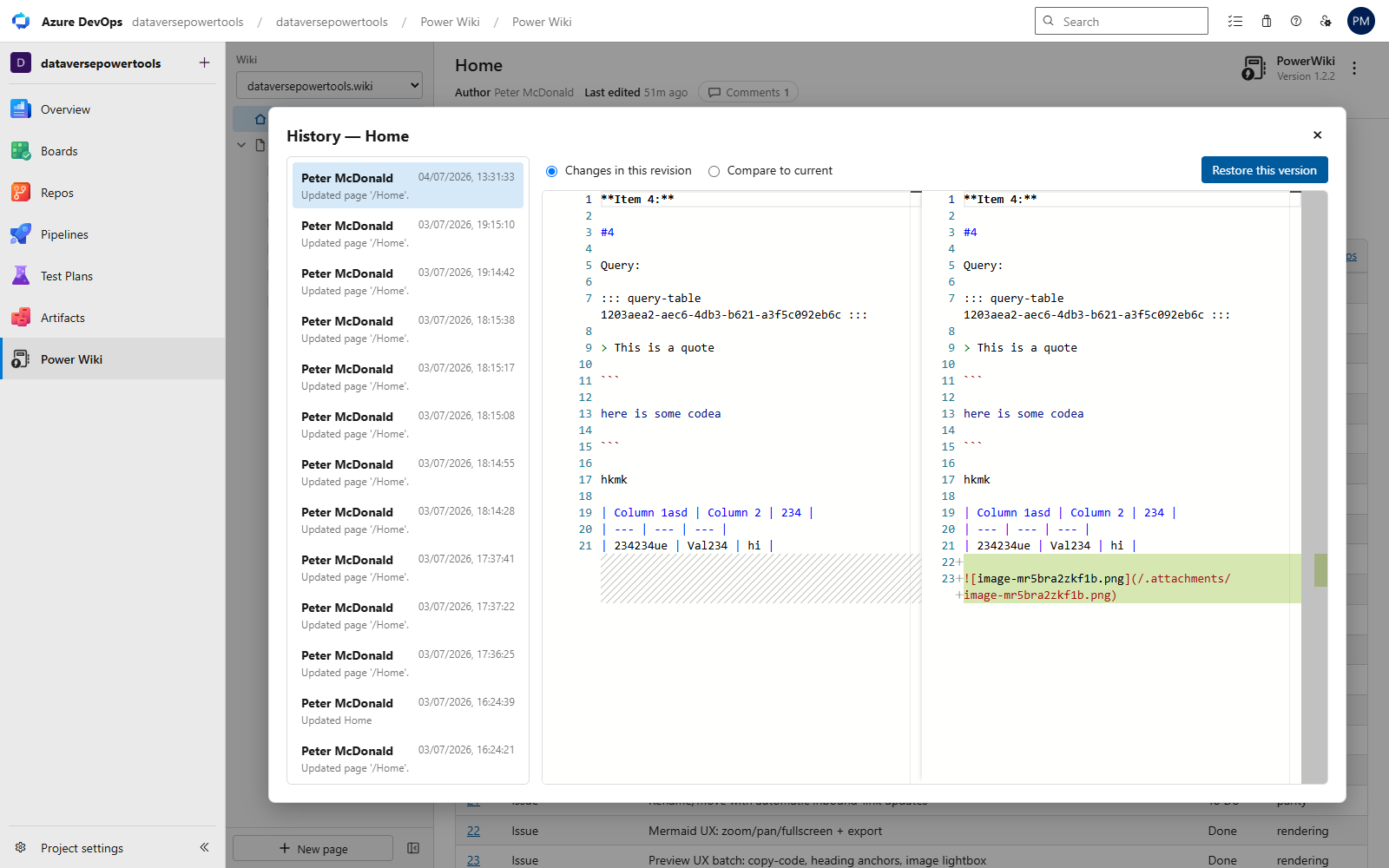
- Page history from Git: browse revisions, compare side by side and restore any version through the normal save path.
- Follow pages for Azure DevOps notifications when they change — the same subscriptions the built-in wiki uses.
- Attachment manager: browse everything in
.attachmentswith previews and copy Markdown references in a click. - Safe renames: PowerWiki finds every inbound link, shows the affected pages and updates them on confirm.
Export that looks like you spent all day on it
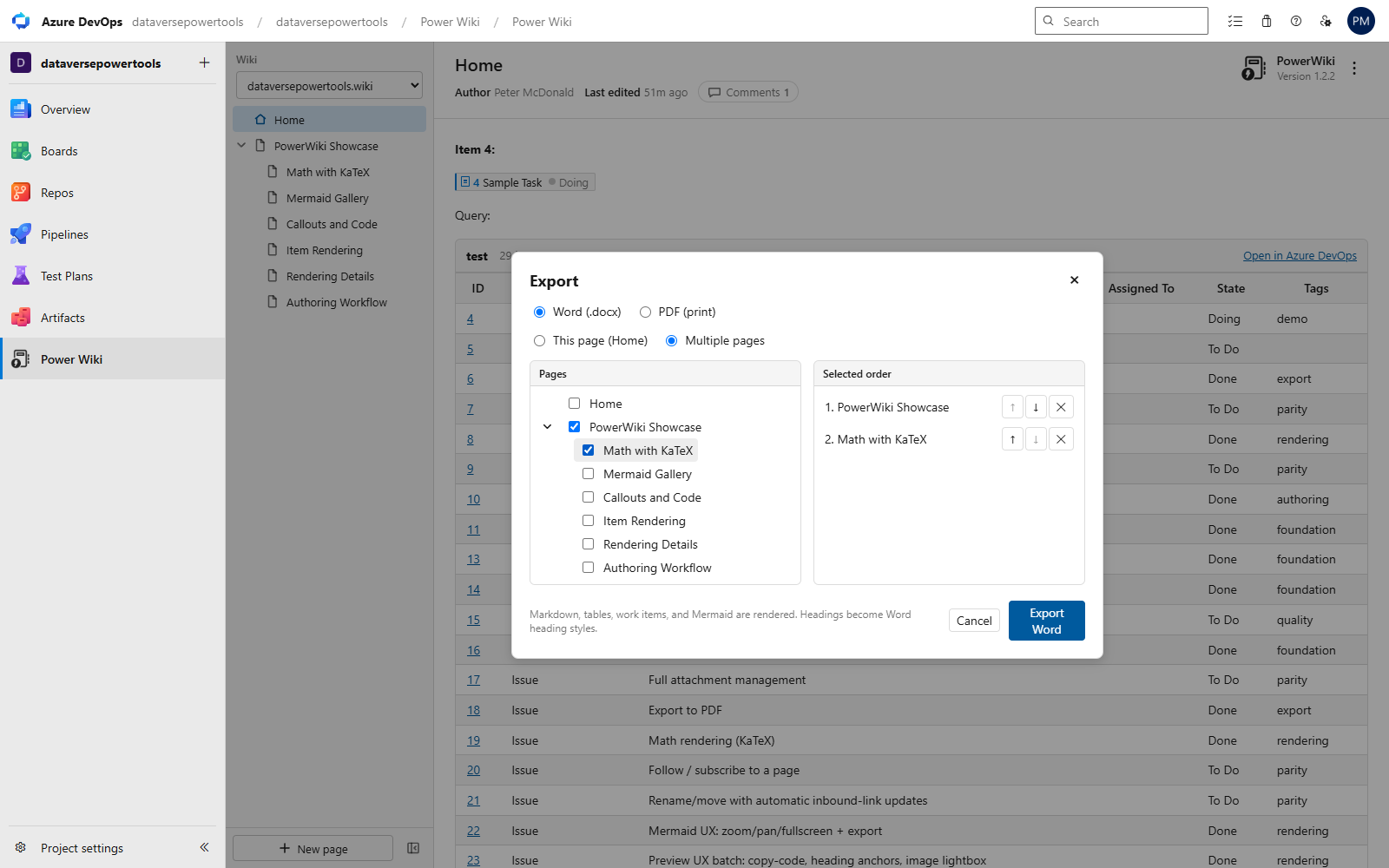
Word (.docx): Markdown headings become real Word heading styles (navigation-pane ready), equations become native editable Word maths, Mermaid renders as crisp images, and tables/images/query results come across. PDF: full-fidelity print with selectable text. Export one page, or select and order any set of pages from a tree into a single document.